
The Ribbon is dead - long live the Ribbon - 2026-06-19
When the ribbon was first introduced into Rons Place Software products (specifically Rons Data Edit) it would be fair to say that its reception was mixed. At the time it seemed like the natural thing to do because everything was going ribbon.
Since then, the world of desktop GUI has changed and we, at Rons Place Software, have decided to remove the ribbon from all of our products. Our reasoning follows.
A Bit Of Ribbon History
The Windows ribbon interface was introduced by Microsoft in 2007 with the release of Office 2007, marking a major shift away from traditional menus and toolbars. Instead of hiding functionality in nested dropdowns, the ribbon organized commands into clearly labeled tabs and visual groups, making features easier to discover. Although it was initially controversial, the ribbon quickly proved effective at surfacing powerful capabilities that users often overlooked in older interfaces.
Over the next few years, Microsoft expanded the ribbon beyond Office and into the Windows operating system itself. By Windows 8 in 2012, File Explorer adopted the ribbon interface, bringing the same tabbed command structure to core system tools. At the same time, Microsoft provided developers with frameworks—both native (Win32) and managed (WPF)—to implement ribbons in their own applications, positioning it as a standard pattern for productivity software.
However, as design priorities shifted toward simplicity, touch-friendliness, and cleaner layouts, the ribbon began to fall out of favor. With the release of Windows 11 in 2021, Microsoft removed the ribbon from File Explorer and replaced it with a more minimal command bar. While the ribbon is still supported and used in applications like Microsoft Office, modern Windows design now emphasizes lighter, more streamlined interfaces that reduce visual complexity while keeping essential actions accessible.
Reasons to Remove the Ribbon from Rons Place Software
What Does the Ribbon Really Add?
If you look closely at the way the ribbon was used in Ron Place Software you would notice that very few of the features available were actually used.
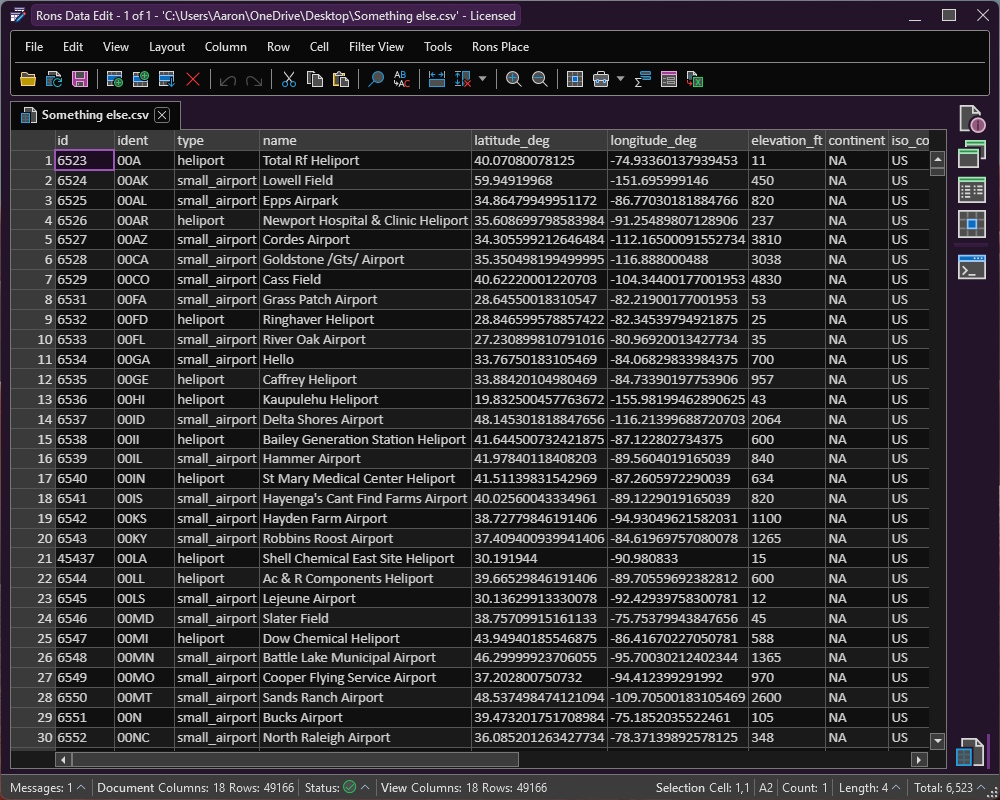
In our most complex application (Rons Data Edit) replacing the ribbon with a menu and toolbar barely changes the user experience.
In some of our simpler offerings the use of the ribbon was overkill and looked simply out of place.
Customer Feedback (Direct)
Basically, quite a few of our customers just did not like it.
Now, of course we are changing the interface again and such activities always generate cries of 'why have you changed it again ???' The truth is its been years since we introduced the ribbon, so I think the rate of change is not too brutal.
Customer Feedback (Indirect)
We have had many requests for various features that are basically just complicated by the presence of the ribbon, and moving forward with these features would generate a lot of extra work with no real benefit to our customers.
Future Software Directions
Doubling down on the previous point the future plans we have for our products became much more complex when dealing with a large, complicated user experience, especially when they do not translate well to other operating systems.
Performance
Maybe this point should have been made first, but removing the ribbon and associated libraries, as well as consolidation of related code, has allowed us to reduce the install size by several MBs, and increase the startup speed.
Signing Off
We hope that the change will not be too hard for our customers but promise to put the time and effort saved right back into our products.
 Rons Data Edit (2)


